In recent years, point-of-sale (POS) software has become increasingly popular among businesses for handling customer checkouts, scanning barcodes, processing payments by cash, card, and UPI, and generating receipts. POS systems are also used to track inventory in real time, manage staff shifts, and run sales reports. Barcode scanning, inventory tracking, payment processing, sales reports, and customer management are the top key features of POS tools.
Do you know about POS software? If yes, check out our blog to learn about POS software.
Understanding POS Software
Point of sale (POS) is a digital tool designed to help businesses run sales transactions, accept customer payments, and track daily operations like inventory and sales reports. These tools generally act as the central command center for retail shops, restaurants, and service providers. They are widely used to accept customer payments and track sales.
Key Features of POS Software
POS (Point of Sale) software tools offer a wide range of key features. Here are the most common key features of POS software.
Sales Processing
POS software focuses on sales processing that allows users to ring up items, calculate taxes, apply discounts, and handle cash, card, or digital payments.
Inventory Tracking
These software solutions automatically update stock levels in real time as items sell. This excellent approach helps track inventory within an organization.
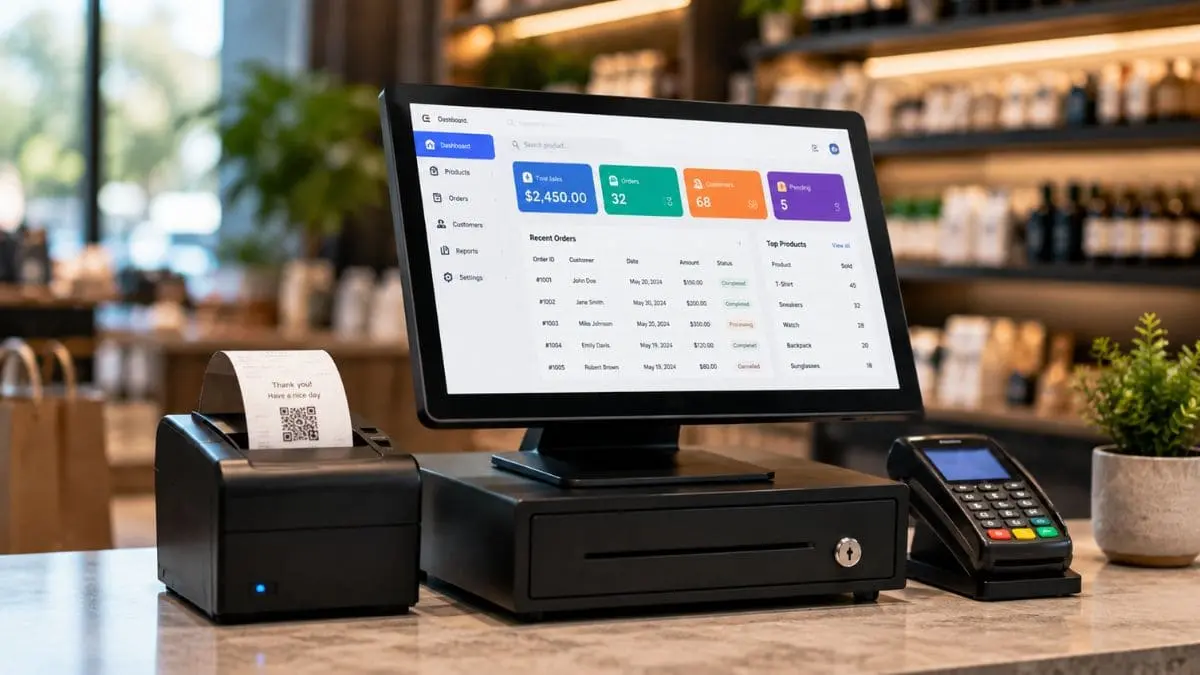
Reports and Analytics
They generate daily or monthly summaries on revenue, top-selling items, and peak hours. This helps professionals know real-time reports and analytics.
Customer Management
In addition to these features, customer management is another key feature. They save purchase history and contact details for loyalty programs, making customer management effective within an organization.
Staff Tools
POS software solutions track employee work hours, performance, and login permissions, making them an ideal choice for many businesses.
Benefits of Using POS Software
Using POS software provides a range of key benefits, including:
Faster Checkout and Real-Time Inventory
POS software solutions generally speed up transactions and reduce line wait times using barcode scanners and quick payment flows. They generally provide low-stock alerts, track stock levels automatically, and prevent item shortages.
Fewer Errors and Flexible Payments
They eliminate manual price calculations and typing mistakes for better accuracy. In addition, these tools accept credit cards, debit cards, cash, and mobile UPI or QR codes.
Sales Analytics and Remote Access
POS systems help users view instant reports on daily revenue, top products, and peak sales hours. They also use them to manage multiple store locations and view live updates from cloud dashboards.
Customer Data (CRM)
These tools save buyer contact details and purchase history to run targeted loyalty rewards, making them a great choice for small and large organizations.
Staff Oversight
Apart from these benefits, these tools track employee clock-in hours, monitor shift performance, and set access permissions.
These benefits attract users to use POS software in their businesses.
Top Global and Local POS Tools
The best POS software available globally in 2026 includes Shopify POS for omnichannel retail, Square POS for small businesses, Lightspeed POS for advanced inventory, and Toast POS for restaurants. Here are the best POS software tools, ranked in 2026.
Square POS
Price: Starts at $49 per month
Square POS is a top platform for POS solutions. It is the best for small businesses and mobile vendors due to its free starting tier and easy setup. It features robust payment processing, inventory tracking, sales reporting, and team management tools with no long-term monthly contract required.
Shopify POS
Price: $89/month per location
Shopify is a leading POS software platform. It connects users’ in-person retail sales and online store into one unified platform. It is best for ecommerce brands moving into physical retail with unified inventory syncing. Real-time inventory sync across channels, unified customer profiles, flexible payment processing, and staff management tools are popular key features of Shopify POS.
Toast POS
Price: Starts at $69/month
Toast POS is another point of sale system that is best for food service, cafes, and restaurants with deep kitchen display and menu tools. It features front-of-house touch terminals, tableside handheld ordering, integrated commission-free online ordering, kitchen display systems (KDS), inventory tracking, and robust staff payroll and tip management.
Lightspeed POS
Price: Starts at $89 per month
Lightspeed POS is a cloud-based point-of-sale platform designed to help retail, restaurants, and golf operations. It features advanced multi-location inventory tracking, integrated payment processing, customizable floor plans, omnichannel e-commerce syncing, and deep analytical reporting. It is the best POS tool for large or high-SKU retail operations needing multi-location reporting.
RetailWhizz / RetailPOS
Price: Based on Plan
It is another POS software platform for businesses of all sizes. It generally helps users handle customer checkouts, scan barcodes, process payments (cash, cards, and UPI), and generate receipts.
It features high-speed counter billing with back-end inventory control, multi-store coordination, and compliance management. This POS software is the best for retail and supermarkets needing localized features like built-in GST invoice workflows and offline reliability.
Conclusion:
Point of sale (POS) tools are a great option for business transactions. They help businesses manage sales, calculate taxes, update inventory in real time, and track employee performance. They also pair with hardware like card readers and barcode scanners to complete checkout. Popular tools include Square POS, Shopify POS, Lightspeed POS, and Toast POS.
To learn more about POS software tools, it is advised to check all aspects of these tools.