In the growing digital age, some form of software is required for every task. Whether it is preparing documents, editing photos, designing graphics, or creating videos, there are numerous software applications available to accomplish all these tasks. The number of apps across computers and mobile devices has grown to such an extent that there is significant competition between them. In such cases, a monthly or annual subscription fee is set for using various excellent tools. Software subscriptions significantly impact the budget.
According to a report, freelancers spend an average of $518 per month on various applications. Just as every question has an answer, many free alternatives offer functionality comparable to premium software. If you want to avoid rising software costs, it is not necessary to purchase expensive software for every task. There are many free software programs and tools available on the internet that are just as excellent as paid software.
In this article, we will explore some of the best free alternatives to popular paid software that can help you get your essential work done without spending any money.
Best Free Alternatives to Popular Paid Software
Below are the best free alternatives to popular paid software.
GIMP
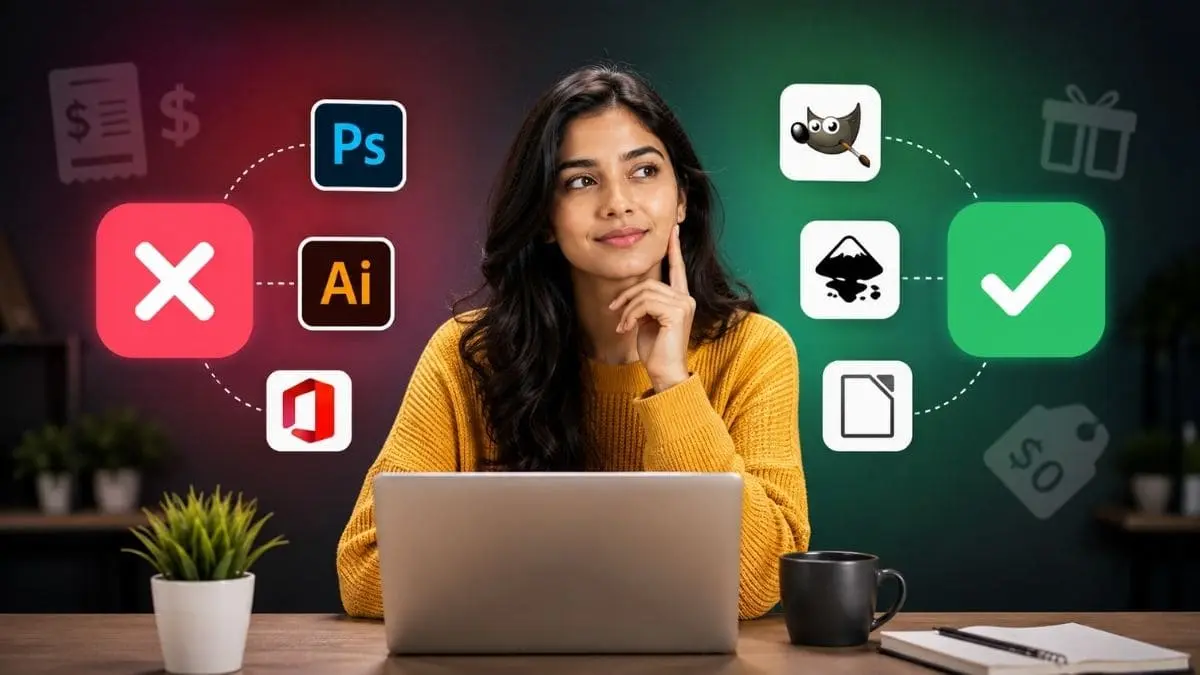
If you do not want to spend money on expensive software like Photoshop, GIMP is a good option for you. This is free photo editing software that can be used on Windows, macOS, and Linux. It offers a host of useful features for editing photos, creating designs, and making various kinds of changes. GIMP might seem a bit difficult at first, but it can be easily learned after using it for some time. You can also find many easy tips and tutorials for this on the internet. The highlight is that you get access to several essential professional editing tools without spending any money.
Libre Office
If you need to do tasks like working with Word, Excel, or PowerPoint but don’t want to spend money on Microsoft Office, LibreOffice is a great option. It is completely free and runs easily on Windows, macOS, and Linux. It offers several essential tools, such as writing documents, creating spreadsheets, and preparing presentations. With this, you can also open, edit, and save Microsoft Office files. Its interface is simple, and it is quite useful for routine tasks. If you want to handle office tasks without spending money, LibreOffice could be a good option for you.
Inkscape
If you want to create logos, designs, or vector graphics and do not want to spend money on Adobe Illustrator, then Inkscape is a good option for you. This is completely free and open-source software that can be used on Windows, macOS, and Linux. It offers several useful tools for creating logos, preparing designs, and editing graphics. It might take a little time to understand some of its features initially, but easy tutorials available online can help you.
Blender
If you want to create 3D models, do 3D printing, or learn animation, Blender is an excellent free software for you. It can be easily used on Windows, macOS, and Linux. With the help of Blender, you can perform various tasks, ranging from creating 3D designs to producing animations. Initially, its tools and features might seem a bit difficult, but with gradual practice, it becomes easy to understand. Many free guides and videos for learning Blender are available on the internet. If you want to get started in the world of 3D, Blender is a great option for you.
Avira
If you want to keep your computer safe from viruses and online threats, it is not necessary to spend money on expensive antivirus software. Avira for Windows users and Sophos for macOS users can be good free options. These help protect the computer from viruses and other dangerous files. However, relying solely on antivirus software is not the right approach. It is also important to be cautious of suspicious links, websites, and files while using the internet. If you practice safe browsing habits and use a good security tool, keeping your computer secure can be quite easy.
LMMS
If you enjoy creating music, recording, or editing audio, LMMS is a great free software for you. It can be used on Windows, macOS, and Linux. With the help of LMMS, you can create music by combining different sounds and edit multiple tracks simultaneously. It offers several useful tools for creating and mixing music, as well as applying various effects. Loops and other sounds can also be used in this. If you want to learn how to create music at home or pursue it as a hobby, LMMS is an easy and useful option.
VirtualBox
If you want to try out new software on your computer without harming the main system, VirtualBox could be useful for you. This is free software that can be used on Windows, macOS, and Linux. With its help, you can create a second virtual computer inside your computer. In this, you can safely test different operating systems and new programs. VirtualBox might seem a bit technical at first, but for general use, it can be easily understood over time. If you don’t have another computer and want to try out new software, this is a good option.
DaVinci Resolve
DaVinci Resolve stands as professional software for color grading, video editing, visual effects (VFX), and audio post-production. Finding a free video editing tool can be difficult, though. Initially, it was a complex color grading tool, but the addition of video editing features over the years has established it as a comprehensive and reliable alternative video editor. It might be a bit difficult to use, but once you learn it over time, it can replace expensive tools. If you can spend a little money, you can also purchase its paid version.
Final Thoughts
It is not necessary to spend money on expensive software every month. Many free alternatives like GIMP, LibreOffice, Inkscape, Blender, LMMS, and DaVinci Resolve can easily handle your everyday tasks. By choosing the right tool, you can save money and also complete your work more effectively.